
Apps to Cancel Unused Subscriptions Automatically (7 Best)

Last fact-checked: · Editorial standards
Subscriptions are designed to be easy to start and easy to forget. A free trial here, a $9.99 app there, and a year later you are quietly paying for streaming services you never watch and tools you opened once. The money leaks out a few dollars at a time, which is exactly why nobody notices until they add it up.
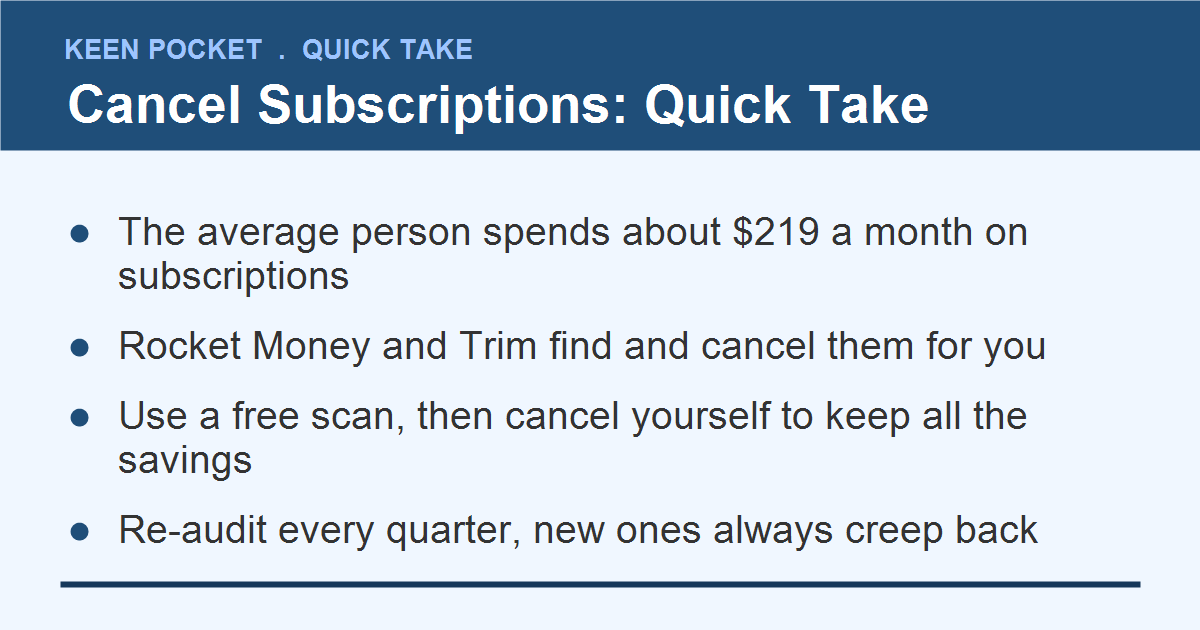
And the total is almost always bigger than people guess, which is the durable finding here. In widely cited C+R Research surveys, consumers estimate their monthly subscription spending at a small fraction of what they actually pay, a gap of two to three times, with the average landing around $219 a month. Streaming, apps, and memberships have only multiplied since, so if anything that undercount is worse today. That gap between what you think you pay and what you actually pay is exactly where these apps earn their keep.
This guide covers the best apps to cancel unused subscriptions automatically, how they work, whether they are safe, and how much they can realistically save you. It also shows the free, manual way to do the same job, so you can pick whichever fits how you like to manage money.
- Subscriptions are designed to be forgotten; the fix is dragging every recurring charge into one list.
- A typical first audit recovers $30 to $50 a month, roughly $400 a year.
- Rocket Money and Trim find and cancel for you; your bank app or a 10-minute statement review does it free.
- Use the free scan to find charges, then cancel them yourself to keep all the savings.
- Re-audit every quarter, because new subscriptions always creep back.
Reviewed and updated for 2026. App pricing was compared against each provider; spending figures reflect the widely cited C+R Research benchmark, and consumer subscription counts have only risen since.
Why Subscriptions Are So Easy to Forget
Recurring billing is built to run in the background. That is the appeal for companies and the trap for you. Once you enter a card, the charge repeats forever unless you actively stop it, and nothing prompts you to reconsider.
Free trials make it worse. You sign up meaning to cancel before the trial ends, the reminder never comes, and the first paid charge slips through unnoticed. Multiply that across streaming, apps, memberships, and boxes, and a household can be paying for a dozen services while actively using half. The apps below fix this by surfacing every recurring charge in one place, so the forgotten ones finally become visible.
How Subscription-Canceling Apps Work
These apps follow the same basic playbook. You connect your bank or card, the app scans your transactions for anything that repeats, and it shows you a single list of every subscription you are paying for.
From there, the better apps go a step further. Instead of making you dig through websites and cancellation mazes, they will contact the company and cancel on your behalf, often for a fee. The free ones stop at showing you the list, which is still the hardest part, since seeing the charges is what finally prompts action.
The 7 Best Apps to Cancel Unused Subscriptions
These range from full-service cancelers to simple trackers. Pick based on whether you want the app to do the canceling or just show you what to cut.
1. Rocket Money, best all-around
Rocket Money is the most popular pick because it does the whole job. It scans your accounts, lists every subscription, and, on its paid tier, will cancel unwanted ones for you. The app is free to use, and the concierge cancellation feature runs on a premium plan of roughly $6 to $12 a month, which you choose.
2. Trim, best free canceler
Trim, owned by OneMain Financial, scans your accounts for recurring charges and can cancel unused subscriptions for you, and it says more than three million people have used it. Its core service is free, which makes it a strong first stop before paying for anything fancier.
3. Hiatus, best for negotiating too
Hiatus tracks your subscriptions and recurring bills, flags price increases, and can also negotiate bills like internet and phone on your behalf. It is a good fit if you want subscription control plus a shot at lowering your other fixed costs at the same time.
4. PocketGuard, best budgeting combo
PocketGuard folds subscription tracking into a full budgeting app, showing recurring charges alongside your spending and how much you have left to spend. If you want one app for both budgeting and catching subscriptions, this is a clean option.
5. Cushion, best for fees and refunds
Cushion tracks your subscriptions and also watches for bank fees, then helps you request refunds on overdraft and other charges. It is a nice two-for-one if hidden fees are as much of a problem for you as forgotten subscriptions.
6. Your bank or card app, best free built-in tool
Many major banks and card issuers now include a subscription manager right in their app, letting you see and sometimes cancel recurring charges at no cost. Before downloading anything new, check whether the bank you already use offers this. It is free and adds no new data-sharing.
7. A manual tracker like Bobby, best for privacy
If you would rather not connect your bank at all, a manual app like Bobby lets you log subscriptions by hand and reminds you before each renews. It takes more effort, but it shares no financial data, which some people strongly prefer.
The 7 Apps, Compared
Here is how the options stack up on cost and whether they cancel for you. Prices are typical for 2026.
| App | Cost | Cancels for you? | Extra |
|---|---|---|---|
| Rocket Money | Free or $6-12/mo | Yes, premium | Budgeting, bill cuts |
| Trim | Free | Yes | Bill negotiation |
| Hiatus | Free or premium | Assists | Negotiates bills |
| PocketGuard | Free or ~$13/mo | Shows them | Full budgeting |
| Cushion | Free or premium | Shows them | Fee refunds |
| Bank app | Free | Sometimes | No new data shared |
Are These Apps Safe to Use?
To find your subscriptions, these apps connect to your bank, which understandably makes people nervous. The reputable ones use the same bank-level encryption and secure connection services that power thousands of finance apps, and they access your data in read-only mode, meaning they can see transactions but cannot move your money.
Still, share your financial data only with well-known, established apps, and read what they do with it. Some make money by marketing other financial products to you. If connecting a bank account feels like too much, the manual method below or a privacy-first tracker gives you most of the benefit with none of the data sharing. The Federal Trade Commission publishes plain guidance on managing subscriptions and your rights around canceling them.
How to Cancel Subscriptions Yourself for Free
You do not actually need an app to do this. The manual method is free, private, and takes about ten minutes. Apps mostly just make it faster and remind you to keep doing it.
- Pull two months of statements. Open your bank and card statements and scan for anything that repeats.
- List every recurring charge. Write down each one with its amount, including the small $2.99 charges that hide easily.
- Mark each as keep, cancel, or unsure. Be honest about what you actually used in the last month.
- Cancel the deadweight now. Go to each service and cancel, or set a reminder to do it before the next renewal.
- Recheck every few months. New subscriptions creep in, so a quarterly scan keeps the leak sealed.
A Realistic Subscription Audit
Here is what a typical first audit turns up, using middle-of-the-road numbers rather than a dramatic best case.
- Streaming you barely watch: two services at about $15 each, one clearly unused. Cancel one, save $15 a month.
- A forgotten free trial: an app that started charging $9.99 months ago. Cancel it, save $10 a month.
- A duplicate service: two apps that do the same thing. Keep one, save $8 a month.
- The result: roughly $33 a month recovered, which is about $400 a year, from ten minutes of looking.
How to Decide What to Keep and What to Cancel
Once you have the list, the hard part is not finding subscriptions, it is being honest about which ones earn their place. A quick three-question test cuts through the guilt and the sunk-cost feeling.
First, did you use it in the last 30 days? If not, that is a strong cancel signal, no matter how good your intentions were. Second, would you re-subscribe today at full price if you did not already have it? If the answer is a hesitant no, cancel it. Third, is there a free or cheaper version that does the same job? Plenty of paid apps have free tiers that cover casual use.
Be especially ruthless with duplicates, two streaming services you rarely rotate between, or three productivity apps that overlap. Keep the one you actually open and drop the rest. The goal is not zero subscriptions, it is only the ones that genuinely add value to your month.
The Free-Trial Trap and How to Beat It
Free trials are the single biggest source of forgotten charges, because they are designed to convert to paid the moment you stop paying attention. A few simple habits defuse them.
The instant you start a trial, set a phone reminder for two days before it ends. That one step catches most trials before the first charge. Better still, cancel right after signing up if the service lets you keep access through the trial period, which many do, so there is nothing left to forget.
For serial trial-users, some banks and services offer virtual or single-use card numbers you can create for a trial and then delete, which stops any charge cold. And always read what the trial converts to, since a $9.99 monthly can quietly become a $99 annual renewal. Treating every free trial as a future bill you must actively cancel keeps the freebies from turning into a slow leak.
The Catch: Fees and Your Data
These apps are helpful, but go in with eyes open. The two real costs are money and data.
On money, the concierge cancellation features that do the work for you usually sit behind a paid plan, and a $12 monthly app that saves you $15 is barely worth it. Use the free scanning to find subscriptions, then cancel them yourself, and you keep all the savings. On data, connecting your bank means sharing transaction history, so stick to established apps and check their privacy terms. The Consumer Financial Protection Bureau has guidance on financial data sharing worth a quick read before you link an account.
How to Cancel a Subscription That Fights Back
Some companies make canceling deliberately painful, burying the option or forcing a phone call. You have more power here than it feels like.
Start on the company’s site and look for account or billing settings, since regulators have pushed for easier online cancellation. If the button is hidden, a quick search for the service name plus the word cancel usually surfaces the exact steps. When a company truly will not let go, you can ask your bank or card issuer to block that merchant from charging you, which stops the bleeding even if the account technically stays open.
Keep a short record of when and how you canceled, including any confirmation number, so you can dispute a charge that sneaks through afterward. Persistence wins. A subscription cannot outlast a blocked card, and most cancellations are far quicker once you know exactly where to click.
The Real Fix Is a Ritual, Not an App
Here is what the app makers would rather you not notice: the tool is not the solution. People download a subscription-canceling app, clean house once, feel great, and then let the same creep start all over, because the app was never the thing that kept them honest. The habit was.
The reason subscriptions win is an asymmetry of friction. Signing up takes one tap; canceling takes a maze, and companies design it that way on purpose. No app permanently fixes that, because new services keep launching and new trials keep converting. What actually beats the asymmetry is a small recurring ritual: a 15-minute audit every quarter, on a repeating calendar reminder, plus a standing rule that every free trial gets a cancel-by reminder the day you start it.
Use an app for the first big cleanup if you like, since seeing the full list is genuinely eye-opening. But do not mistake it for the answer. The person who runs a quiet quarterly audit will stay ahead of subscription creep for years, with or without a paid app doing the work.
Common Mistakes People Make
- Paying to cancel what you could cancel free. Use the free list, then do the canceling yourself.
- Auditing once and stopping. Subscriptions creep back. Recheck every quarter.
- Ignoring the small charges. A pile of $3 to $10 apps is where most of the waste hides.
- Not redirecting the savings. Money you free up drifts away unless you send it somewhere on purpose.
Where Your Freed-Up Money Should Go
Canceling subscriptions only counts if the recovered money goes somewhere useful instead of quietly refilling with new charges. Give it a job the same day.
Send the monthly savings straight to a high-yield savings account so it grows automatically, or use it to speed up debt payoff. To catch the small leaks that subscriptions represent, pair this with our tiny habits that save $500 a month. If you want the money to grow itself in the background, round-up savings apps and cashback apps turn everyday spending into savings.
Frequently Asked Questions
What is the best app to cancel unused subscriptions automatically?
Rocket Money is the most popular because it both finds and, on its paid tier, cancels subscriptions for you. Trim is the strongest free option that also cancels. For zero cost and no new data sharing, check whether your own bank app already has a subscription manager.
Are subscription-canceling apps free?
Finding your subscriptions is usually free. Having the app cancel them for you is where fees appear, typically $6 to $12 a month. Most people are better off using the free scan to find charges, then canceling the unwanted ones themselves.
Is it safe to connect my bank to a subscription app?
With reputable, well-known apps, yes. They use bank-level encryption and read-only access, so they can see transactions but cannot move your money. Still, share data only with established apps and read their privacy terms, or use a manual tracker if you prefer not to link an account.
How much can I save by canceling unused subscriptions?
A typical first audit recovers around $30 to $50 a month, or roughly $400 a year, just from forgotten trials, unused streaming, and duplicate apps. The exact number depends on how many services have quietly stacked up.
Will canceling subscriptions hurt my credit?
No. Canceling a streaming service, app, or membership has no effect on your credit score, because these are not credit accounts. The only thing that changes is that the recurring charge stops. Your credit is tied to loans and credit cards, not subscriptions.
How often should I check for unused subscriptions?
Once a quarter is a good rhythm. New subscriptions creep in through trials and one-off sign-ups, so a ten-minute scan every three months keeps the leak sealed. Setting a recurring calendar reminder makes it automatic.
Do these apps work with any bank?
Most connect to thousands of U.S. banks and card issuers through the same secure services other finance apps use, so major banks are almost always supported. If your smaller bank or credit union is not listed, the free manual method of reviewing statements works no matter where you bank.
Can I cancel subscriptions without connecting my bank?
Yes. Review your bank and card statements by hand, list every recurring charge, and cancel the ones you do not use. A privacy-first tracker app like Bobby also works without any bank connection, reminding you before each subscription renews.
The Bottom Line
The best apps to cancel unused subscriptions automatically all do the same core job: they drag every forgotten charge into the light so you can finally cut it. Rocket Money and Trim lead the pack, but your own bank app or a free ten-minute statement review can do most of the work at no cost. Whatever you use, the winning move is the same, find the charges, cancel the deadweight, and send the savings somewhere better before they refill with new subscriptions.

Sarah Whitman is the founder and lead editor of Keen Pocket. She holds a BS in Accounting and Finance and writes plain-English guides on budgeting, saving, debt, and beginner investing.